compagnonsdudev/spectrallm
SpectraLLM — turn your documents into a private, fine-tuned AI. 100% local.
1.7K
compagnonsdudev/spectrallm repository overview
Turn your documents into a private, fine-tuned AI — in one application.
100% local · No cloud · No API keys · No subscriptions
GitHub · Documentation · Français · AGPL-3.0
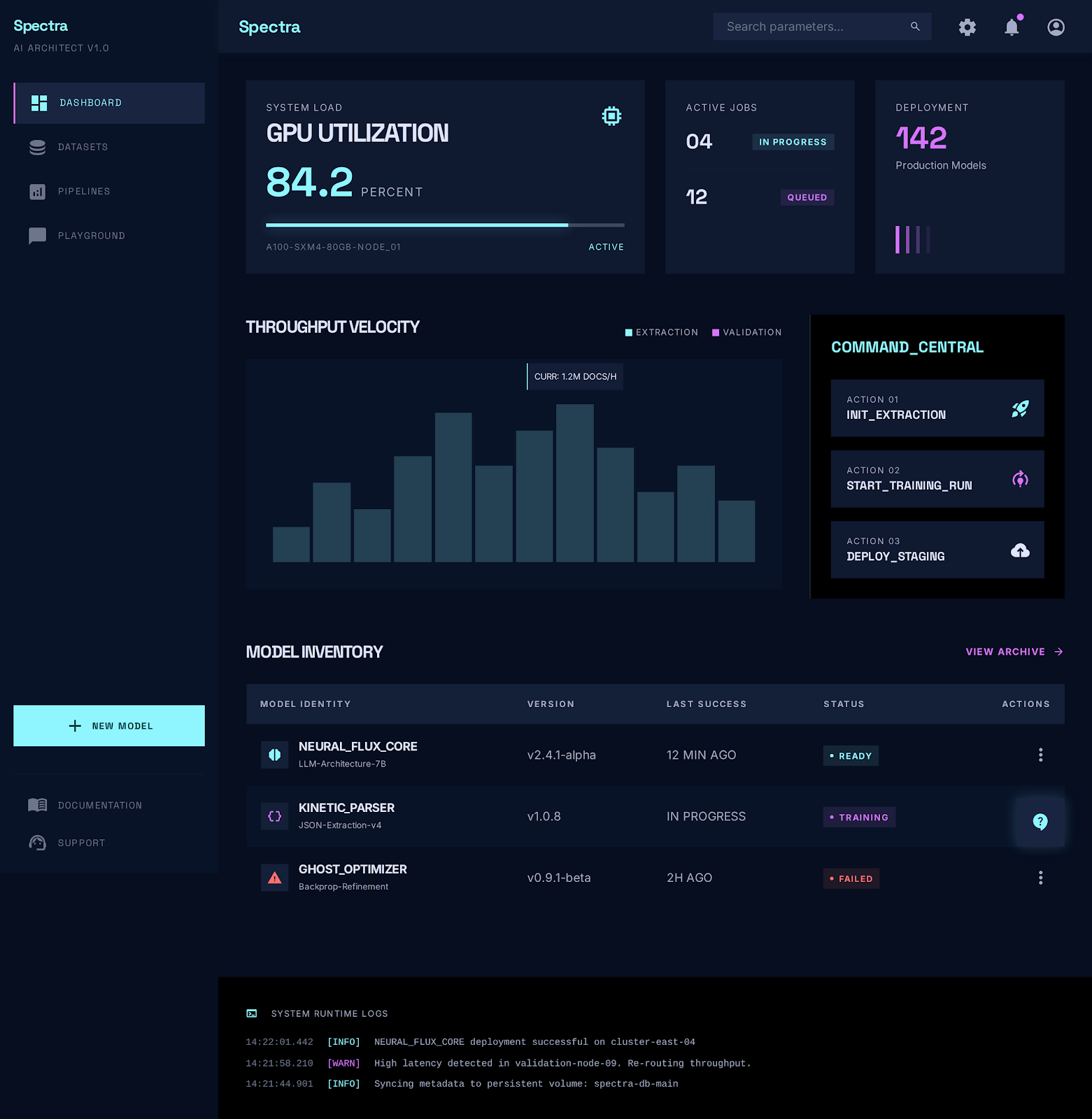
Your organization's knowledge lives in PDFs, Word docs, wikis and exports. Generic LLMs know none of it — and shipping internal documents to a cloud API is often a non-starter.
Spectra reads your documents, answers questions from them, then fine-tunes a local model that permanently knows your domain — exported as a single file you can run anywhere, even air-gapped.
What this image is
compagnonsdudev/spectrallm is the backend: Java 25 / Spring Boot — the REST API, the ingestion pipeline, the document store, the hybrid RAG engine and the fine-tuning orchestration. It listens on 8080.
It is one of two images published for this project:
| Image | Role | Port |
|---|---|---|
compagnonsdudev/spectrallm | Backend — API, RAG pipeline, document store, fine-tuning | 8080 |
compagnonsdudev/spectrallm-frontend | Web interface — React served by Nginx | 80 |
Neither runs alone. A working Spectra stack is five containers: these two, a ChromaDB vector store, and two llama.cpp servers — one for chat, one for embeddings. The Compose file below wires all five together.
Quick start — nothing is built on your machine
git clone https://github.com/devdownin/SpectraLLM.git && cd SpectraLLM

# GGUF weights (~4.8 GB for the defaults: 4.7 GB chat + 81 MB embedding) — data, not image layers
./scripts/setup.sh --download-embed --download-chat

# Pull the published images and start the stack
docker compose --project-directory . \
  -f deploy/docker/docker-compose.yml -f deploy/docker/docker-compose.hub.yml pull

docker compose --project-directory . \
  -f deploy/docker/docker-compose.yml -f deploy/docker/docker-compose.hub.yml \
  up -d --wait --no-build
Then open http://localhost, drop a PDF on the Ingestion page, and start asking questions.
--wait blocks until every service reports healthy through its own healthcheck, and exits non-zero if one never does. --no-build is the guardrail: if an image reference were wrong, Compose would otherwise rebuild it silently and the whole point of pulling would be lost.
Why a git clone and not a Compose file to paste here. The two llama.cpp servers mount supervisor entrypoints from scripts/, and the GGUF weights live in data/models — several gigabytes you have to download anyway. The clone carries those; the images carry the code. Nothing is compiled locally: no Maven build, no Vite build. That is exactly what these images are for.
Prefer the guided path? ./scripts/start.sh --first-run --hub does the download, pulls these images, starts the stack and opens the browser — without --hub it builds the images instead.
Tags
| Tag | Meaning |
|---|---|
latest | The most recent release. |
0.11 | The 0.11 series — patches, without the surprises of a version bump. |
0.11.0 | An exact version. Pin this in production. |
Release candidates (1.0.0-rc1) are published as-is and never carry latest.
Architectures: linux/amd64 and linux/arm64 — Apple Silicon included.
Both images are built and pushed by a single GitHub Actions workflow on each version tag, with provenance and SBOM attestations attached:
docker buildx imagetools inspect compagnonsdudev/spectrallm:latest
Requirements
- Docker Engine 25+ with Compose v2 (the healthchecks use
start_interval, which older engines reject). - 16 GB RAM for the default 7B chat model. Smaller models work on less.
- GPU optional — NVIDIA, AMD/ROCm and Vulkan are auto-detected by
scripts/start.sh; a Compose overlay handles the offload.
Configuration
Everything has a working default. The variables worth knowing:
| Variable | Default | What it does |
|---|---|---|
SPECTRA_IMAGE_TAG | pinned in the overlay | Version of the two images pulled. The overlay pins the latest release; set it to any published tag, or to latest to always follow. |
SPECTRA_IMAGE_NAMESPACE | compagnonsdudev | Where the images come from — change it for a private mirror. |
SPECTRA_API_KEY | (empty) | Set it and /api/** requires the X-API-Key header. Empty means no authentication. |
SPECTRA_BIND_ADDR | 127.0.0.1 | Interface the ports are published on. 0.0.0.0 exposes the stack to your network — set an API key first, and put TLS in front. |
LLM_CHAT_MODEL_FILE | Qwen2.5-7B-Instruct-Q4_K_M.gguf | The chat GGUF served from data/models/. |
SPECTRA_MCP_ENABLED | false | Serves a read-only MCP server on /mcp (port 8080, streamable HTTP): spectra_search, spectra_ask, spectra_list_documents, spectra_preview_document, spectra_status. Requires SPECTRA_API_KEY, sent as X-API-Key. |
JAVA_OPTS | -Xms256m -Xmx1024m -XX:+UseZGC | JVM heap for this container. |
Full list: Configuration guide.
Volume. This image reads and writes /app/data — the document store, the H2 database, the GGUF models, the fine-tuning jobs and the logs. In the stack it is bind-mounted to ./data, alongside the vector index: one directory, one backup, one reset. The container runs as the non-root user spectra, so that directory must be writable by others.
Ports. By default every port is published on the loopback only. The web UI (80) and the API (8080) are the two you need; 8000/8091/8092 are there for diagnostics. SPECTRA_UI_PORT, SPECTRA_API_PORT, SPECTRA_LLM_CHAT_PORT and SPECTRA_LLM_EMBED_PORT move them — SPECTRA_UI_PORT=8088 SPECTRA_API_PORT=8089 runs Spectra beside Kafka SQL Explorer and Kex-anHarness.
What you get
- 📥 Ingest — PDF, DOCX, HTML, Markdown, CSV, JSON, XML, Avro, TXT, ZIP, URLs, even live Kafka streams. Layout-aware parsing keeps tables and headings intact.
- 🔍 Ask — Hybrid search (keyword + vector) with reranking and cited sources. Six retrieval strategies, picked adaptively per question, up to an agentic ReAct loop for multi-hop reasoning — with a live view of how each answer was built.
- 🎓 Fine-tune — Spectra builds a training dataset from your own corpus, then bakes the knowledge into the model's weights (QLoRA/DPO, CPU or GPU). Approved answers feed a continuous-learning loop.
- 📦 Deploy — Out comes a single GGUF file, runnable anywhere (llama.cpp, Ollama, LM Studio…), with built-in evaluation and A/B comparison to prove the gain.
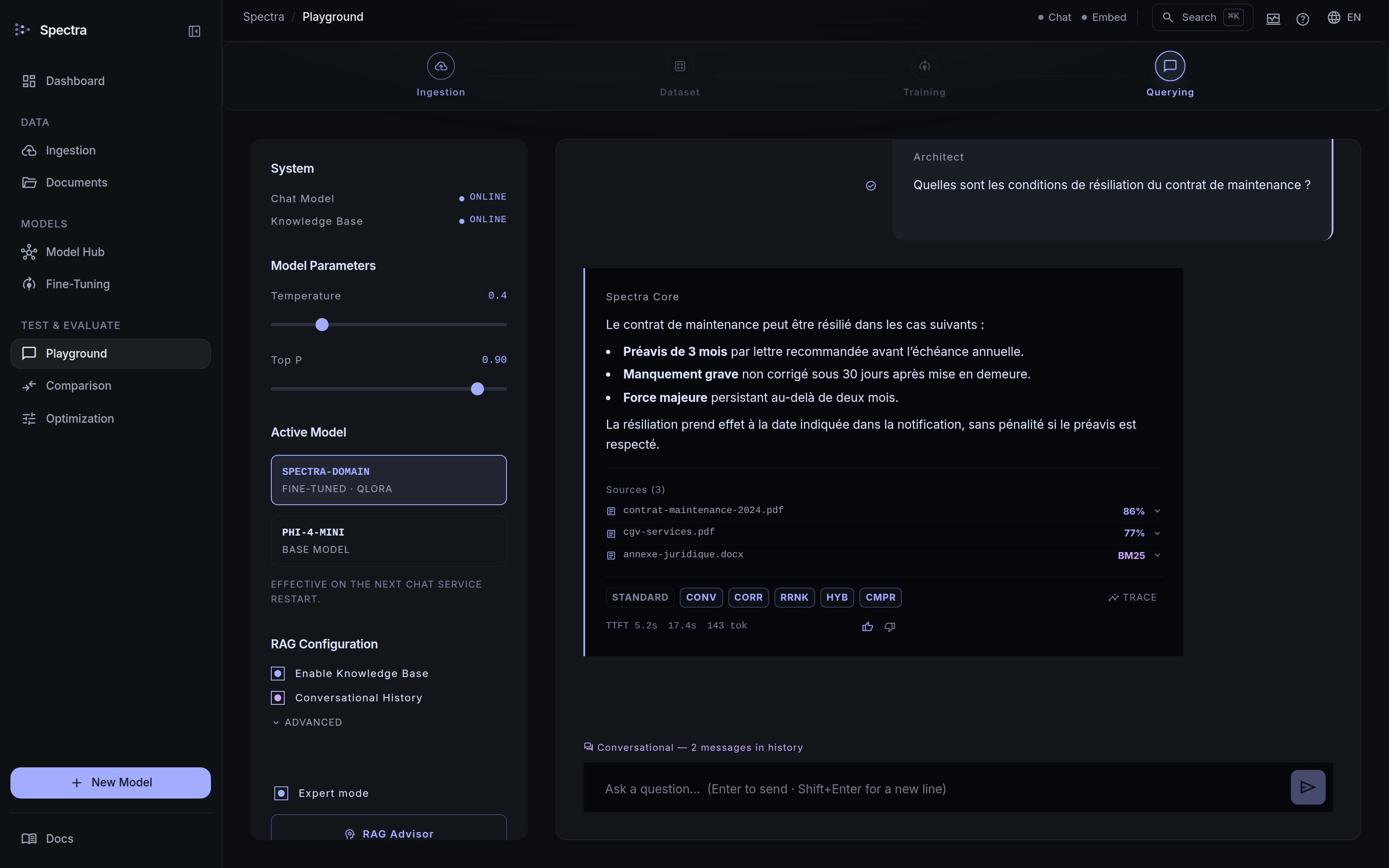 | 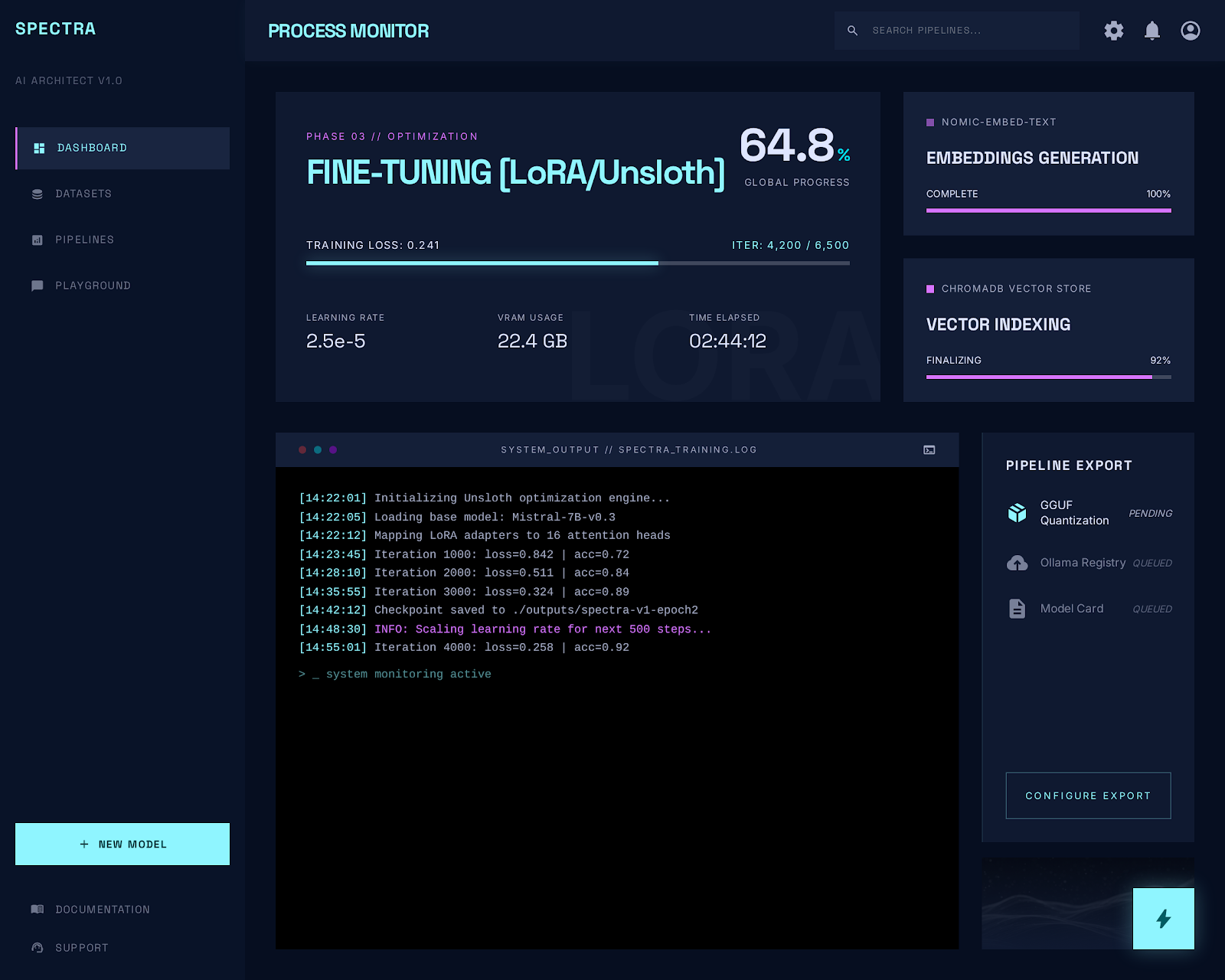 |
| Ask your documents — answers with cited sources | Fine-tune a model that keeps the knowledge |
Optional services
Three more services sit behind Compose profiles and are not part of this pull — they are built locally on demand, because each weighs several gigabytes and only matters if you turn it on:
docker compose --project-directory . -f deploy/docker/docker-compose.yml \
  --profile trainer up -d trainer      # in-container fine-tuning (torch)
layout-parser (layout-aware PDF parsing), reranker (cross-encoder reranking — the JVM ONNX engine is the default and needs no container) and kafka (streaming ingestion) work the same way.
Documentation
| Guide | Inside |
|---|---|
| Getting Started | Step-by-step install, model downloads, Docker profiles |
| Publier / consommer les images (FR) | These images: how they are published, pinned and pulled |
| Architecture & Services | Every service in depth |
| Configuration | All environment variables, health endpoints, metrics |
| User Manual | Complete walkthrough of the web interface |
🧩 Ecosystem
Three open-source projects, published under the same Docker Hub namespace, each usable on its own and wired to the others through MCP:
| Project | What it does | Image | License |
|---|---|---|---|
| Kafka SQL Explorer | Explore Kafka, query it in Flink SQL, audit it with AI — and serve it to agents as a read-only MCP server | compagnonsdudev/kafkaexplorer | AGPL-3.0-or-later |
| SpectraLLM (this project) | Turn your documents into a private, fine-tuned AI — local RAG, fine-tuning, and an MCP server over the corpus | compagnonsdudev/spectrallm | AGPL-3.0-or-later |
| Kex-anHarness | A governed AI agent that works through MCP tools — supervision, human approvals, audit trail | compagnonsdudev/kex-agent-ai | GPL-3.0-or-later |
How they fit: Kex-anHarness reads Kafka through Kafka SQL Explorer's MCP server and searches documents through SpectraLLM's; Kafka SQL Explorer can use SpectraLLM as its private LLM provider.
All three together, from published images — nothing is built:
git clone https://github.com/devdownin/Kafkaexplorer.git && cd Kafkaexplorer
docker compose -f compose/spectra-hub.yml -f compose/spectra-hub.mcp.yml \
  -f compose/ecosystem.yml up -d
Ports, one plan for the three: 8080 Kafka SQL Explorer · 8081 Kex-anHarness · 8088 / 8089 SpectraLLM UI / API · 9092 Kafka. SpectraLLM's own stack keeps 80 / 8080 when it runs alone; SPECTRA_UI_PORT=8088 SPECTRA_API_PORT=8089 puts it beside the other two.
License
GNU AGPL-3.0 — use, modify and self-host freely, in production, on premises or air-gapped. AGPL is a strong copyleft: if you run a modified version as a network service, you must make the corresponding source available to its users. Full text.
From raw documents to domain expertise — all on your hardware.
Tag summary
Content type
Image
Digest
sha256:b8c5fc4a9…
Size
317.2 MB
Last updated
about 14 hours ago
docker pull compagnonsdudev/spectrallm